A password manager can turn a long, unique password into a quick selection at the login screen. Behind that convenience is a set of checks designed to connect the saved credential with the correct website while keeping the vault locked the rest of the time.
The vault stores encrypted records
Saved usernames, passwords and notes are held in an encrypted vault. The vault is opened with a master password, device credential or biometric confirmation, depending on the setup. A well-designed service derives an encryption key from that unlock step rather than sending the master password as an ordinary account secret.
Locking the vault again removes easy access to the readable records, even if the encrypted database remains on the device or is synchronized between devices.
The website name is the match
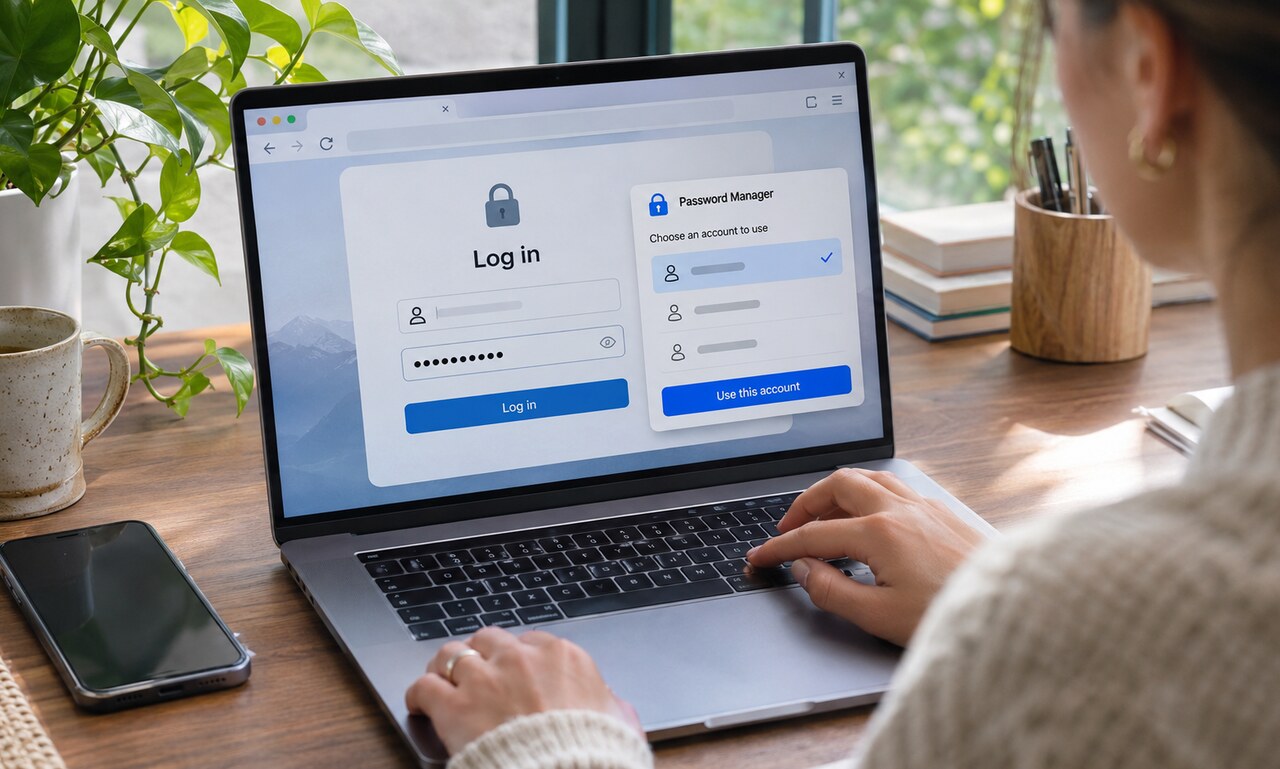
When a login form appears, the manager compares the current domain with the address saved in each record. It offers accounts that match instead of filling every form with every credential. This behavior can provide a useful warning against phishing: a convincing copy on the wrong domain should not receive the legitimate site's saved password.
Users still need to read carefully. Similar-looking domains, embedded frames and manually broadened matching rules can complicate the decision.
Filling is different from typing
The manager inserts the username and password into recognized form fields, often through a browser extension or operating-system service. Some sites require a second page, a custom control or confirmation before the fields can be completed. The password may remain masked on screen while still being present in the form.
Copying a password to the clipboard is sometimes necessary, but autofill usually reduces the time a secret remains available to other applications or accidental paste actions.
The login can include more than a password
Managers may store one-time codes, recovery details and passkeys alongside conventional passwords. Filling a code proves access to an additional secret, while a passkey uses a cryptographic response rather than sending a reusable password.
A password manager cannot protect an already unlocked device from every threat, and account recovery still needs careful planning. Its central benefit is simpler: it makes a different, strong credential practical for every service. The manager remembers, checks the destination and fills only after the user has unlocked access.
READ NEXT